
Sharing from Immich
Other than the initial configuration during installation, everything is managed through Immich. IPP has no admin interface of its own.
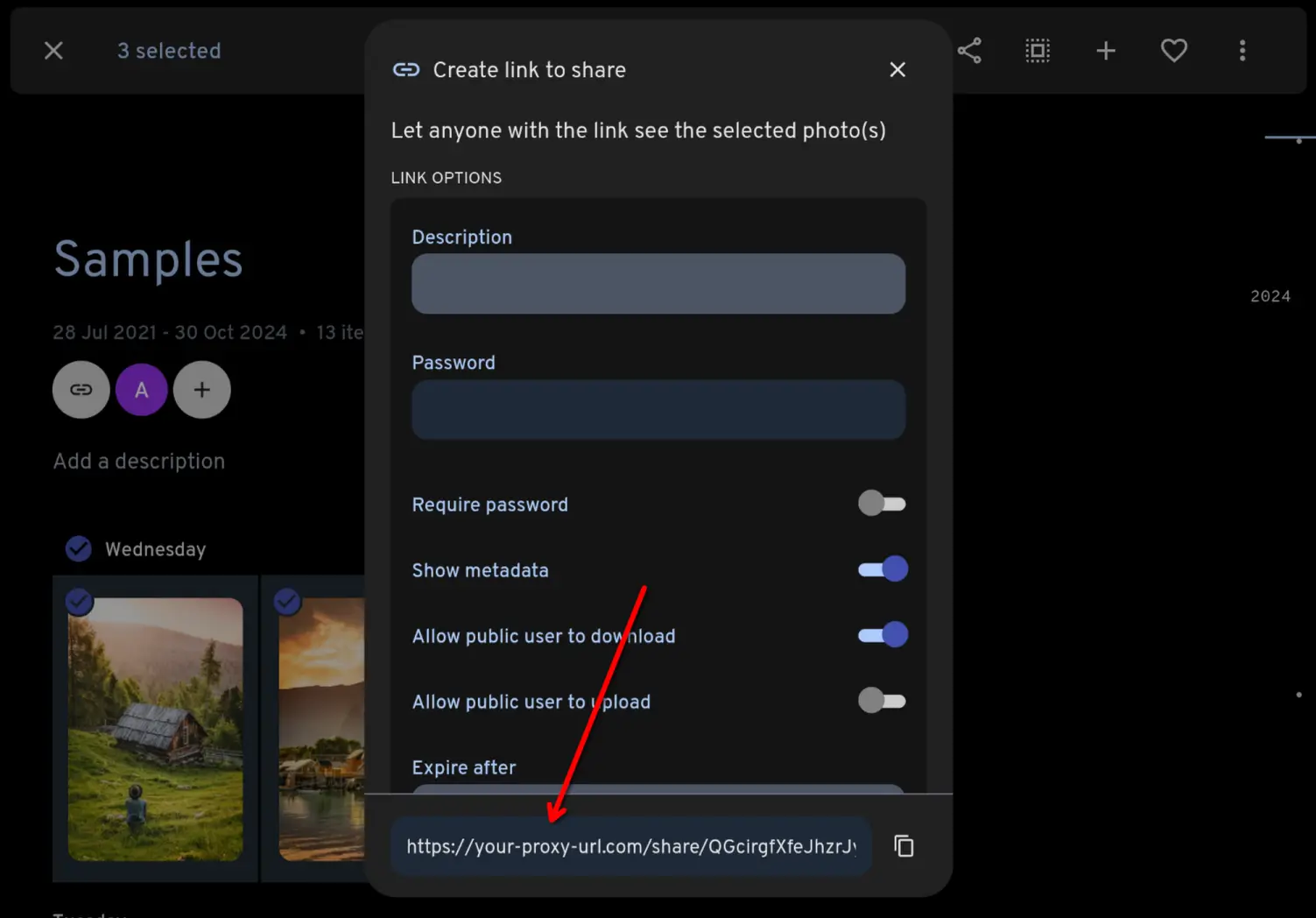
Share your photos, videos and albums as normal through Immich. Because you set the External domain in Immich's settings to the URL of IPP, the links Immich generates already point at the proxy:
Share links
A standard link looks like https://photos.example.com/share/<key>, where the key is the shared link's public ID in Immich. If you give the shared link a custom URL in Immich, IPP serves it at https://photos.example.com/s/<slug> instead. Slug links can be turned off with allowSlugLinks.
The settings on the shared link in Immich are respected:
- Password. Visitors must enter the password before IPP serves anything from the share. It is remembered in an encrypted cookie for an hour, after which they are asked again.
- Expiry. An expired link returns a 404, the same as an unknown one. The expiry date can be shown on the gallery with
gallery.showExpiryDate. - Allow downloads. Decides whether Immich will serve the original files. See
allowDownloadfor how IPP's own download buttons interact with it. - Show metadata. When it is off, IPP hides the description, EXIF and location data regardless of its own metadata settings.
- Allow public user to upload. When it is on and you run the optional upload service, the gallery shows an Add photos button. See Let visitors send photos back.
What visitors see
- A share containing a single image opens the image file directly, so you can embed the link anywhere you would a normal image. Set
gallery.singleImageto show a gallery page instead. A single video opens a gallery page by default (gallery.singleVideo). - Everything else opens as a gallery styled to match Immich, in light or dark mode following the visitor's system preference, with a lightbox for viewing each photo or video.
- Very large shares stay smooth, however many photos they contain.
- When downloads are allowed, visitors can download a single item, select several to download together as a zip, or download the whole share.
- Photos can be grouped under month or day headers with
gallery.groupByDate. - An info sidebar in the lightbox shows whatever metadata you have chosen to reveal. Nothing is revealed by default.
- When the share accepts uploads, visitors can send their own photos and videos into it with the Add photos button.
Try it on the live demo.
Next: Upgrading, or head to Configuration to tune the gallery.